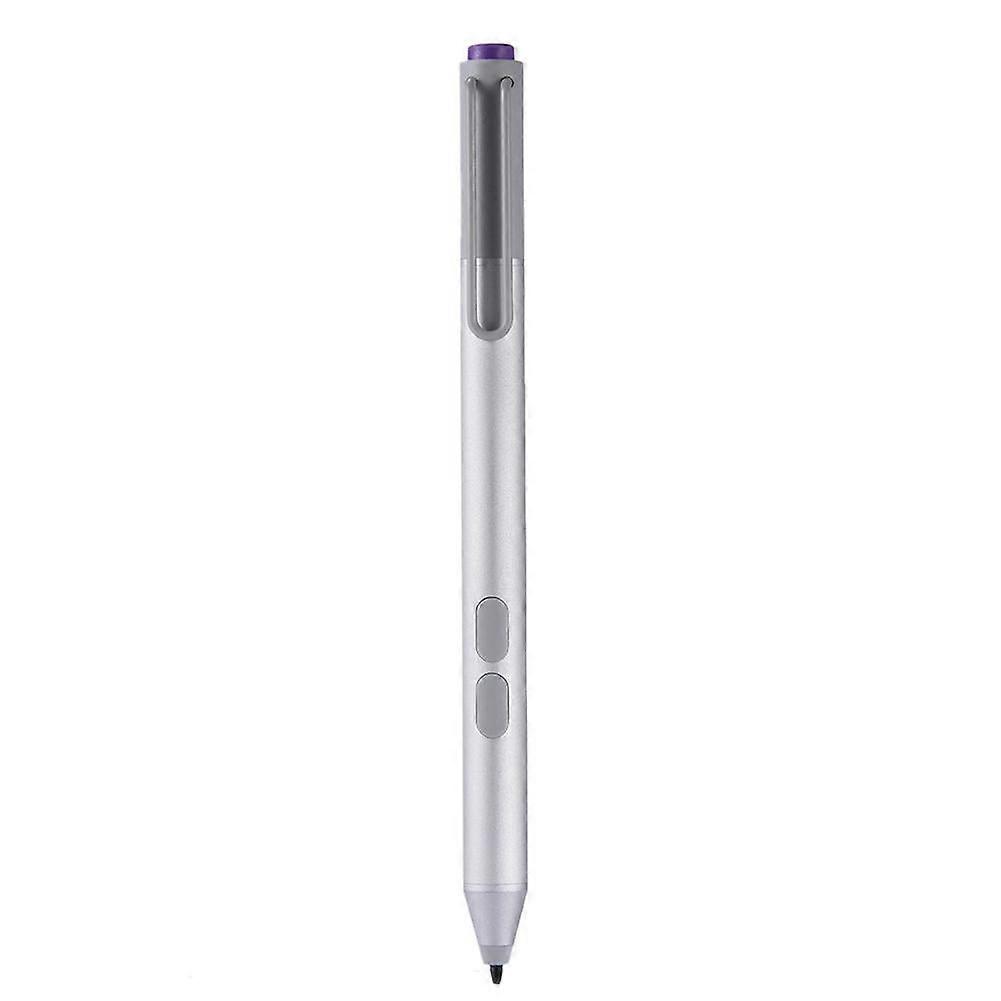
jixopn Sensitive Pencil for compatible with Microsoft Surfaceicrosoft Surface Pro 3 4 5 6 7 8 Universal Write Pen Notebook Bluetooth-Compatible

20 890,00 Ft
INGYENES kiszállítás

jixopn Sensitive Pencil for compatible with Microsoft Surfaceicrosoft Surface Pro 3 4 5 6 7 8 Universal Write Pen Notebook Bluetooth-Compatible

  • Márka: Unbranded
Értékesítő:

jixopn Sensitive Pencil for compatible with Microsoft Surfaceicrosoft Surface Pro 3 4 5 6 7 8 Universal Write Pen Notebook Bluetooth-Compatible

  • Márka: Unbranded

20 890,00 Ft

Megtakarítás 12 500,00 Ft (37%)

RRP

33 390,00 Ft
Készleten
INGYENES kiszállítás

14 napos visszaküldési szabályzat

Értékesítő:

20 890,00 Ft

Megtakarítás 12 500,00 Ft (37%)

RRP

33 390,00 Ft
Készleten
INGYENES kiszállítás

14 napos visszaküldési szabályzat

Fizetési módok:

Leírás

jixopn Sensitive Pencil for compatible with Microsoft Surfaceicrosoft Surface Pro 3 4 5 6 7 8 Universal Write Pen Notebook Bluetooth-Compatible

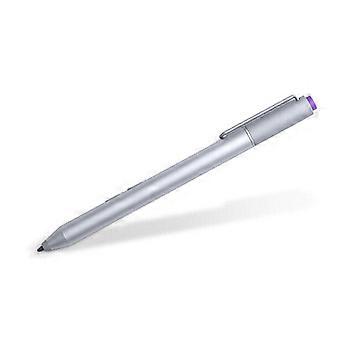
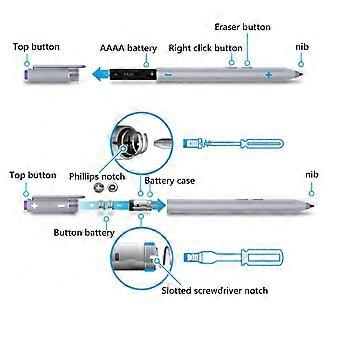
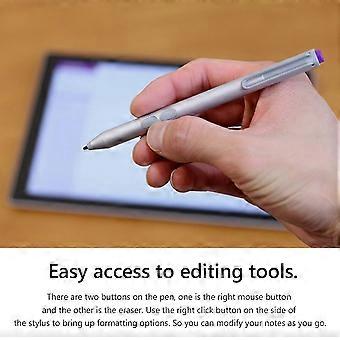
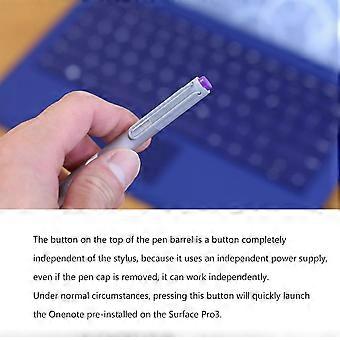
Sensitive Stylus Pencil for compatible with Microsoft Surfaceicrosoft Surface Pro 3 4 5 6 7 8 Laptop Write Pen Notebook Bluetooth-Compatible with Screenshot Paint Accessory Feature: Bluetooth-compatible connection. There is no need to worry about the connection problem, once set, you can automatically connect to the tablet through Bluetooth-compatible. 4096 pressure sensing. For Surface Pen supports a maximum pressure sensing level of 4096 with 4096 pressure points, providing you with a unique drawing experience and instant response to accurately copy text without delay. Easy access to editing tools. There are two buttons on the pen, one is the right mouse button and the other is the eraser. Use the right click button on the side of the stylus to bring up formatting options. So you can modify your notes as you go. Long press the pen cap to pair, double click to cut the picture. Hold down and hold down for 10 seconds. When the yellow indicator blinks, tap match in system setting-Bluetooth-compatible Device. Click the purple button to call out onenote. Double-click the button to call out Onenote Humanized button, convenient productivity. The upper part is the right button, which can realize the right mouse button function; The lower part is eraser delete button, which can realize eraser and delete function in supported software Specification: Color: Silver Material: aluminum case Pressure sensing: 4096 grade pressure sensing Connectivity: Bluetooth-compatible 4.0 Button: Right click and clear Battery: 2 button batteries; 1 AAAA battery Function: Support bluetooth-compatible connection and screen capture with eraser deletion function Size: Diameter: 9.5mm/0.37in; Length: 135 mm/5.3in + / - 1 mm Weight: 20 g Applicable model: For compatible with Microsoft Surfaceicrosoft Surface 3 For compatible with Microsoft Surfaceicrosoft Surface Pro 3 For compatible with Microsoft Surfaceicrosoft Surface Pro 4 For compatible with Microsoft Surfaceicrosoft Surface Pro 5 For compatible with Microsoft Surfaceicrosoft Surface Pro 6 For compatible with Microsoft Surfaceicrosoft Surface Pro 7 For compatible with Microsoft Surfaceicrosoft Surface Pro 8 For compatible with Microsoft Surfaceicrosoft Surface Pro X For compatible with Microsoft Surfaceicrosoft Surface Book1/2/3 For compatible with Microsoft Surfaceicrosoft Surface Laptop1/2/3/4 For compatible with Microsoft Surfaceicrosoft Surface Studio For compatible with Microsoft Surfaceicrosoft Surface Go1/Go2/Go3 Note: Due to the different monitor and light effect, the actual color of the item might be slightly different from the color showed on the pictures. Thank you! Please allow 1-2cm measuring deviation due to manual measurement. Included: 1 x Stylus Pencil Bluetooth-compatible connection. There is no need to worry about the connection problem, once set, you can automatically connect to the tablet through Bluetooth-compatible. 4096 pressure sensing. For Surface Pen supports a maximum pressure sensing level of 4096 with 4096 pressure points, providing you with a unique drawing experience and instant response to accurately copy text without delay. Easy access to editing tools. There are two buttons on the pen, one is the right mouse button and the other is the eraser. Use the right click button on the side of the stylus to bring up formatting options. So you can modify your notes as you go. Long press the pen cap to pair, double click to cut the picture. Hold down and hold down for 10 seconds. When the yellow indicator blinks, tap match in system setting-Bluetooth-compatible Device. Click the purple button to call out onenote. Double-click the button to call out Onenote Humanized button, convenient productivity. The upper part is the right button, which can realize the right mouse button function; The lower part is eraser delete button, which can realize eraser and delete function in supported software
  • Fruugo azonosító: 448162799-941946318
  • EAN: 9114532437485

Termékbiztonsági információk

Kérjük, olvassa el a termékre vonatkozó biztonsági információkat az alábbiakban

Az alábbi információkat a terméket értékesítő független, harmadik fél kiskereskedő biztosítja.

Biztonsági figyelmeztetések: Warning to keep away from water to prevent electric shocks.
Hozzávalók: Other

Kiszállítás és visszaküldés

Kiküldés 3 napon belül

  • STANDARD: INGYENES - közötti szállítás Sze 31 december 2025–Cs 08 január 2026 - INGYENES

Szállítás innen: Kína.

Minden tőlünk telhetőt megteszünk annak biztosítására, hogy rendelését hiánytalanul és előírásainknak megfelelően szállítás ki önnek. Viszont ha egy hiányos rendelést kap, vagy eltér a megrendelttől, vagy bármilyen más okból nem elégedett a rendeléssel, akkor visszaküldheti a rendelést vagy a rendelésben lévő bármely terméket, és visszatérítik a termék árának teljes összegét. Teljes visszaküldési irányelvek megtekintése.

Termékmegfelelőségi részletek

Kérjük, tekintse meg a termékre vonatkozó megfelelőségi információkat az alábbiakban.

Az alábbi információkat a terméket értékesítő független, harmadik fél kiskereskedő biztosítja.

Gyártó:
Az alábbiakban olvashatók a Fruugo platformján értékesített releváns termék gyártójának elérhetőségei.

  • Yang Yue
  • Lixian Penghui Trading Co., Ltd.
  • Group 5,Renhe Village
  • Changde City
  • CN
  • 415500
  • buzhengchanga@outlook.com
  • +1(319)277-0024

Felelős személy az EU-ban:
Az alábbiakban olvashatók az Európai Unióban kijelölt felelős személy elérhetőségei. A felelős személy az az Európai Unióban székhellyel rendelkező gazdasági társaság, amely az Európai Unióban eladott releváns termékekhez kapcsolódó megfelelőségi kötelezettségekért felel.

  • eVatmaster Consulting GmbH
  • eVatmaster Consulting GmbH
  • Raiffeisen Street2 B1l
  • Rodgau
  • DE
  • 63110
  • contact@evatmaster.com
  • +49 61062699873