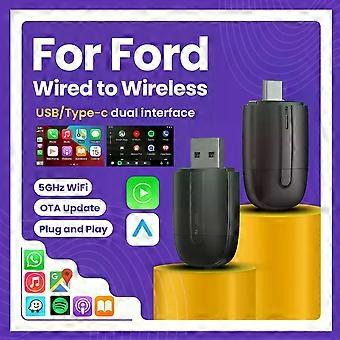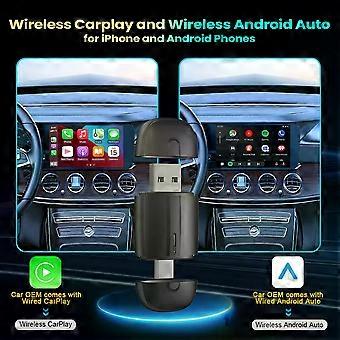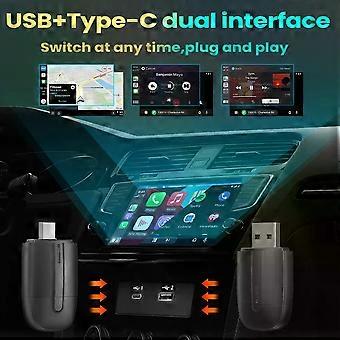
Wireless Android Auto Adapter CarPlay Adapter USB Type-c Plug and Play Bluetooth 2 In 1 For Ford C-MAX Fiesta Flex Focus Taurus

18 190,00 Ft
+ 3 999,00 Ft szállítási költség

Wireless Android Auto Adapter CarPlay Adapter USB Type-c Plug and Play Bluetooth 2 In 1 For Ford C-MAX Fiesta Flex Focus Taurus

  • Márka: Unbranded
Értékesítő:

Wireless Android Auto Adapter CarPlay Adapter USB Type-c Plug and Play Bluetooth 2 In 1 For Ford C-MAX Fiesta Flex Focus Taurus

  • Márka: Unbranded

18 190,00 Ft

Megtakarítás 18 100,00 Ft (49%)

RRP

36 290,00 Ft
Készleten
+ 3 999,00 Ft szállítási költség
Értékesítő:

18 190,00 Ft

Megtakarítás 18 100,00 Ft (49%)

RRP

36 290,00 Ft
Készleten
+ 3 999,00 Ft szállítási költség

A következő fizetési módokat fogadjuk el

Leírás

Wireless Android Auto Adapter CarPlay Adapter USB Type-c Plug and Play Bluetooth 2 In 1 For Ford C-MAX Fiesta Flex Focus Taurus

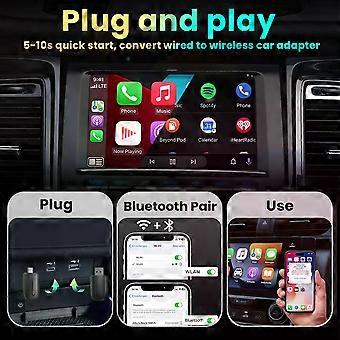
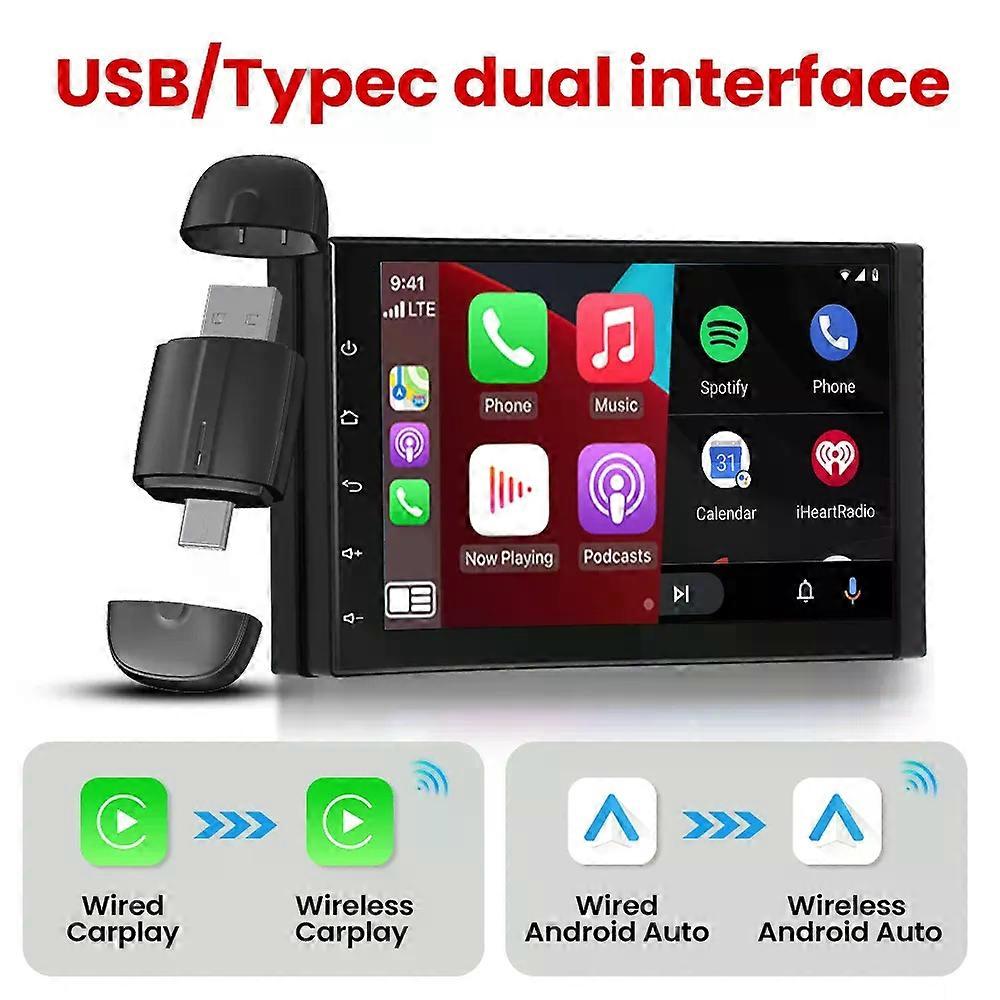
Specifications High-concerned chemical:None Origin:Mainland China Conditions of Use:Only Support Original Car With Wired Carplay/Android Auto Support the Car:For Benz Volvo Toyota Skoda Seat Nissan Mazda Lexus Kia Jeep Jaguar Hyundai,For Honda Haval GMC Ford Chevrolet Citroen Buick Cadillac Chery MG Blunetooth:5.0 Wifi:2.4G+5G Feature:Wireless Carplay Feature1:Wireless Android Auto Feature2:Fota Update Feature3:Plug and play Feature4:Wireless android auto adapter Feature5:Carplay adapter Feature6:Android auto wireless usb dongle Feature7:Carplay android Conditions of Use 1. This product only supports OEM car radios with 98% wired Apple Carplay/Android Auto 2. If there is no wired Carplay/Android Auto support/please do not buy, you will not be able to use it if you buy it, because this is entered through the original car Carplay/Android Auto protocol 3. Please do not buy cars before 2017 4. This device does not support BMW/Tesla/Subaru/Mitsubishi/cars (Nissan is not recommended for purchase, poor compatibility)" About mobile phones: About Apple phones: Corresponding to Carplay: Supports iPhone 6 and above, software version is iOS 10 and above. About Android phones: Corresponding to Android Auto: Supports Android 11 and above models, and the phone supports wireless Android Auto. 3. It should be noted that Huawei phones are special. Huawei devices have their own mobile operating system - EMUI. Unfortunately, Android Auto Wireless does not support EMU Function of switching between products If you need to switch from wireless Carplay to wireless Android auto function Please use an Android phone to connect the device Bluetooth name. After the connection is successful, wait for the device to automatically reset and restart. The process takes about 30 seconds. Keep it powered on Carplay will switch to Android Auto function So you can use an Android phone to connect to the wireless Android Auto function Note: To use wireless Android Auto Your car needs to have the Android Auto channel function Your phone is an Android system and supports the Android Auto function To use wireless Carplay Your car needs to have the Carplay channel function Your phone is an Apple phone and has an ios10 system or above Main functions of the product 1.Wired Apple Carplay to wireless Apple CarPlay 2.Wired Android Auto to wireless Android Auto How to use wireless Carplay? 1. Connect the USB box to the car USB 2. Check the Bluetooth name "Smart Dongle-XXXX" that appears on the car 3. Turn on the phone's WIFI and Bluetooth, and use the Bluetooth pairing device name. How to use wireless Android Auto? 1. Connect the USB box to the car USB 2. Check the Bluetooth name "Smart Dongle-XXXX" that appears on the car 3. Turn on the phone's WIFI and Bluetooth, and use the Bluetooth pairing device name. How to upgrade for iPhone online? Access the backend page with an iPhone 1. Please use your phone to connect to the device Wifi: "Smart Dongle" and enter the password: "12345678", 2. Open the Safari browser on your iPhone and enter the IP address: "192.168.1.101, 3. Click "Access" or "Go" to enter the online upgrade backend. (If you cannot enter, please check whether the phone's Wifi is correctly connected to the device) Android phone upgrade method Android phone access backend page 1. Please use your phone to connect to the device Wifi: "Smart Dongle" Enter the password: "12345678" 2. Open the mobile phone Chrome browser and enter the IP address: "192.168.1.101 3. Click "Access" or "Go" to enter the online upgrade backend interface. (If you cannot enter, please check whether the phone's Wifi is correctly connected to the device) If the original car has wired Carplay/Android, why can't it be connected? 1. Please use your phone to delete the original car's Bluetooth device name 2. Restore the factory device (Because the device is a single Bluetooth, if the original car's Bluetooth is already connected to the phone, the phone cannot connect to the device's Bluetooth)" After pairing the Android Auto adapter, the Android Auto feature does not start or the USB is not compatible/recognized "1. If your car is using the Android Auto function for the first time, please use a data cable to connect your phone to activate Android Auto via wired mode. 2. Please make sure that the Android Auto on your Android phone is the latest version. If not, please update to the latest version. 3. Please turn off the Bluetooth of your phone and enter the mobile application management to search for automatic clearing of automatic cache. After the cleanup is completed, restart the adapter and reconnect Bluetooth." The adapter light remains on after the car is turned off. Since all power is not cut off immediately when the car is turned off, the light of the adapter will not go out immed
  • Fruugo azonosító: 441209261-926002189
  • EAN: 692034791827

Termékbiztonsági információk

Kérjük, olvassa el a termékre vonatkozó biztonsági információkat az alábbiakban

Az alábbi információkat a terméket értékesítő független, harmadik fél kiskereskedő biztosítja.

Termékbiztonsági címkék

CE Mark
Gyártói cikkszám: 692034791827
Modellszám: 692034791827
Sorozatszám: 692034791827
Tételszám: 692034791827

Kiszállítás és visszaküldés

Kiküldés 3 napon belül

  • STANDARD: 3 999,00 Ft - közötti szállítás Cs 18 december 2025–P 26 december 2025

Szállítás innen: Kína.

Minden tőlünk telhetőt megteszünk annak biztosítására, hogy rendelését hiánytalanul és előírásainknak megfelelően szállítás ki önnek. Viszont ha egy hiányos rendelést kap, vagy eltér a megrendelttől, vagy bármilyen más okból nem elégedett a rendeléssel, akkor visszaküldheti a rendelést vagy a rendelésben lévő bármely terméket, és visszatérítik a termék árának teljes összegét. Teljes visszaküldési irányelvek megtekintése.

Termékmegfelelőségi részletek

Kérjük, tekintse meg a termékre vonatkozó megfelelőségi információkat az alábbiakban.

Az alábbi információkat a terméket értékesítő független, harmadik fél kiskereskedő biztosítja.

Gyártó:
Az alábbiakban olvashatók a Fruugo platformján értékesített releváns termék gyártójának elérhetőségei.

  • Shenzhen Huahuiyu Technology Co., Ltd.
  • Shenzhen Huahuiyu Technology Co., Ltd.
  • Room 511, Xiaren Yongsheng Building, Shangcun Community, Gongming Street, Guangming District
  • Shenzhen
  • China
  • 518000
  • huahuiyu2023@163.com
  • 86-15818330429

Felelős személy az EU-ban:
Az alábbiakban olvashatók az Európai Unióban kijelölt felelős személy elérhetőségei. A felelős személy az az Európai Unióban székhellyel rendelkező gazdasági társaság, amely az Európai Unióban eladott releváns termékekhez kapcsolódó megfelelőségi kötelezettségekért felel.

  • E-CrossStu GmbH
  • E-CrossStu GmbH
  • Mainzer Landstr.69, 60329 Frankfurt am Main, Hessen, Deutschland
  • Frankfurt am Main, Hessen
  • Germany
  • 60329
  • E-crossstu@web.de
  • +49 69332967674