USB3.0 SDI Input Video Capture Card 1080P HD Video Recording Live Streaming Boxs

HUF71,090.00
FREE Shipping

USB3.0 SDI Input Video Capture Card 1080P HD Video Recording Live Streaming Boxs

  • Brand: Unbranded
Sold by:

USB3.0 SDI Input Video Capture Card 1080P HD Video Recording Live Streaming Boxs

  • Brand: Unbranded

HUF71,090.00

In stock
FREE Shipping

14-Day Returns Policy

Sold by:

HUF71,090.00

In stock
FREE Shipping

14-Day Returns Policy

Payment methods:

Description

USB3.0 SDI Input Video Capture Card 1080P HD Video Recording Live Streaming Boxs

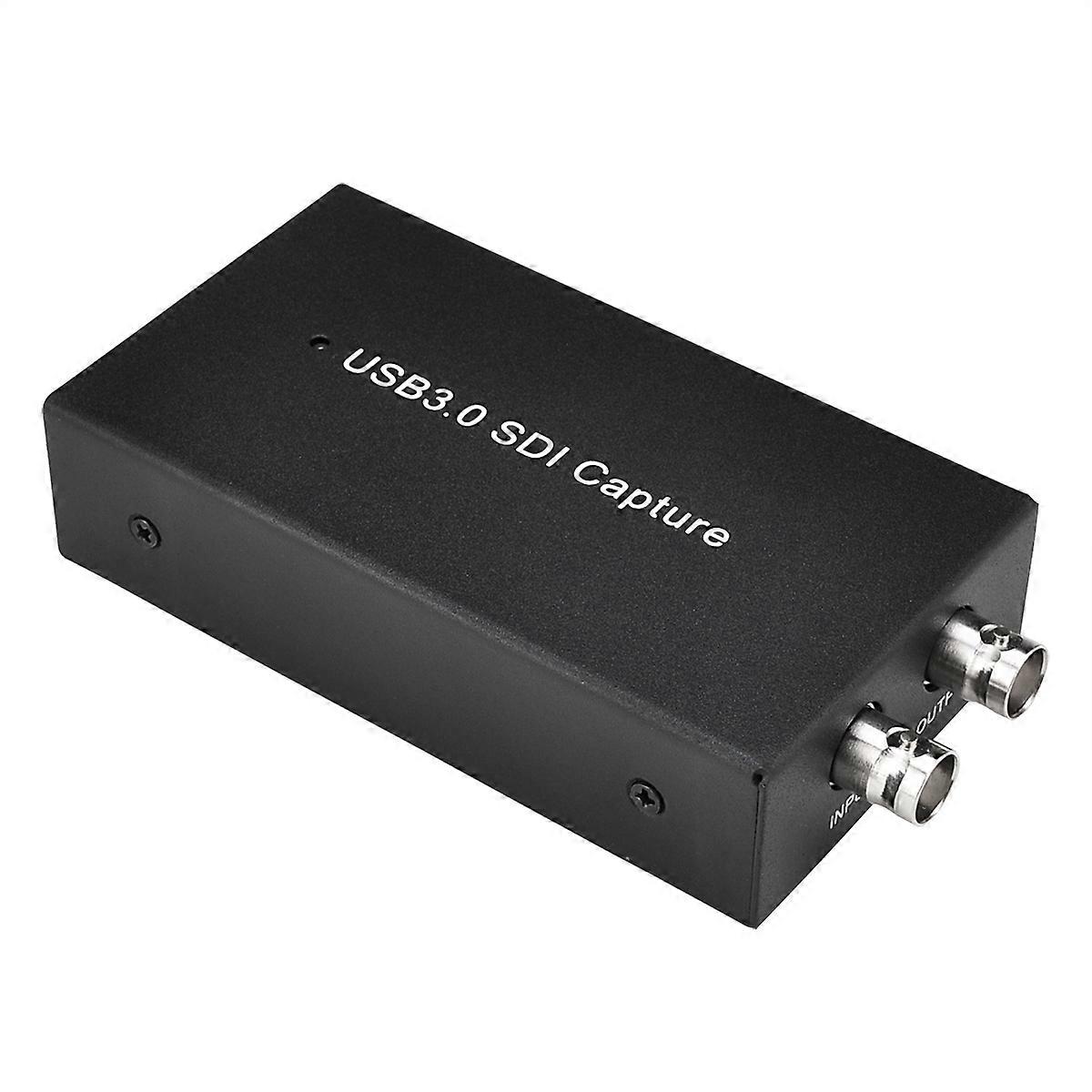
PRODUCT DESCRIPTION: With ezcap262, just plug to your PC (Windows, Mac, Linux), no need install driver, you can use any 3rd party software to capture or stream your HD camera video, or other SDI HD video sources. Features: 1. USB3.0 port To connect to computer. 2. SDI output port Loop through from the input3. SDI input port Connect video source with coaxial cableWork on windows First of AllSet the audio capture sample rate : Note: It is an important setting, otherwise will caused the bad audio quality1), After connect the device to computer, right click on Speaker of your computer, choose Recording devices 2), Double click ezcap U3 capture ----At Advanced choose the sample rate to 2 channel 16 bit, 48000 Hz (DVD Quality) --Note: Most of all, set to 48000Hz will get nice sound. In case not, and the sound with noise and skip, it means your video source is 44100hz or 32000hz, then you need set here to 44100 or 32000 to make your sound without noise3), If need adjust the input audio level, or if no audio input, at Levels, set the value: Work with OBS Studio: 1, Go to obsproject.com/download to download OBS Studio according to your computers operating system, and install it on your computer. Connect ezcap262 to computer with USB3.0 cable, and connect video source with HDMI cable. Windows will install the driver automatically, and you will see ezcap U3 capture in device manager. Connect the output to TV monitor with coaxial cable if you need. 2, Run OBS Studio, Click icon under Sources window, and select Video Capture Device, then select ezcap U3 capture in the drop box next to Device: 3, At Set Audio Output Mode to Output desktop audio (WaveOut), Audio Device to ezcap U3 capture: 4, Set the video latency for make the audio and video synchronized: 1) Right click Video Capture Device then click Filters: 2) Click to add Video Delay (Async) : 3) Set it to 470ms (You can adjust it smaller or bigger until you found the audio and video synchronized): 5, Then you can recording or streaming video: For other applications may also need settingfor synchronous problem: On VLC: ToolsEffects and Filters----Synchronization then adjust the delay value of Audio track synchronization, till audio video synchronous: On Amcap, Capture---Setup----Preview, set the Audio latency (normally to 10ms): Work with other applications (e.g. VLC, Media encoder, Potplayer): Just run the application then choose capture device to ezcap U3 Capture. Work on MAC: Work with OBS Studio: Download and install OBS studio, then do the same as above on windows. Work with QuickTime Player: 1, Run QuickTime player, select New Movie Recording: 2, Choose ezcap U3 capture under Camera and Microphone option: Work on Linux: Work with OBS Studio: Download and install OBS studio, then do the same as above on windows. (note: Your Linux should meet OBS requirements) Work with OBS VLC (shows example for Ubuntu): 1, Right click on window, select Open Capture Device: 2, Choose Video camera ---/dev/video0 then click play Specifications: Connections1.Interface:USB 3. 02.Video Input: SDI3.Audio Input: SDI4.Video Output :SDI, USB5.Audio Output:SDI, USBHardware Extra1.Dimensions:107*55*21 mm2.Weight: 80gPackage Contents1.Device ezcap2622.Others USB3.0 cable, manualStandardsSystem Requirement Windows 7,8,10, OS X 10.9 or later, Linux. PC: Intel Core i5-3400 NVIDIA GT630, NB: Intel Core i7-3537U 2.0 GHz NVIDIA GT735, Mac: i5 quad-core or above, VGA card supporting DirectX 10, Sound card, 4GB RAM, Powered USB 3.0 port: Intel chipset with native USB 3.0 host controller (Renesas, Fresco ) Resolution 720 x 480 (60p), 720 x 576 (50p), 1280 x 720p (50p), 1280 x 720p(60p), 1920 x 1080 (50i), 1920 x 1080 (60i), 1920 x 1080 (24p), 1920 x 1080 (25p), 1920 x 1080 (30p), 1920 x 1080 (50p), 1920 x 1080 (60p) Software compatibility: OBS Studio (windows,OS X); Windows Media Encoder (Windows); Adobe Flash Media Live -Encoder (Windows, OS X); Real Producer Plus (Windows); VLC (Windows, OS X, Linux); QuickTime Broadcaster (OS X); QuickTime Player (OS X); Wirecast (Windows,OS X); vMix(Windows); Potplayer (Windows) and etc. Development interface compatibility:
  • Fruugo ID: 101445332-213506196
  • EAN: 5946662155762

Product Safety Information

Please see the product safety information specific to this product outlined below

The following information is provided by the independent third-party retailer selling this product.

Product Safety Labels

CE Mark
Safety Warnings: Not suitable for children under 36 months

Delivery & Returns

Dispatched within 24 hours

  • STANDARD: FREE - Delivery between Fri 02 January 2026–Tue 13 January 2026 - FREE

Shipping from China.

We do our best to ensure that the products that you order are delivered to you in full and according to your specifications. However, should you receive an incomplete order, or items different from the ones you ordered, or there is some other reason why you are not satisfied with the order, you may return the order, or any products included in the order, and receive a full refund for the items. View full return policy

Product Compliance Details

Please see the compliance information specific to this product outlined below.

The following information is provided by the independent third-party retailer selling this product.

Manufacturer
The following information outlines the contact details for the manufacturer of the relevant product sold on Fruugo.

  • QingDaoRongZhanGongMaoYouXianGongSi
  • QingDaoRongZhanGongMaoYouXianGongSi
  • Huangdaoqu Zhujianglu1355hao 2405-16shi
  • Qingdao
  • CN
  • 266000
  • jidks563@outlook.com
  • https://www.cdiscount.com/mpv-117387-fengdistore.html

Responsible Person in the EU
The following information outlines the contact information for the responsible person in the EU. The responsible person is the designated economic operator based in the EU who is responsible for the compliance obligations relating to the relevant product sold into the European Union.

  • VAT SPEED SL
  • VAT SPEED SL
  • Calle Antonio Salvador N99.1,28026 Madrid,Spain
  • Madrid
  • Spain
  • 28026
  • services@vatspeed-eu.com
  • https://www.cdiscount.com/mpv-117387-fengdistore.html