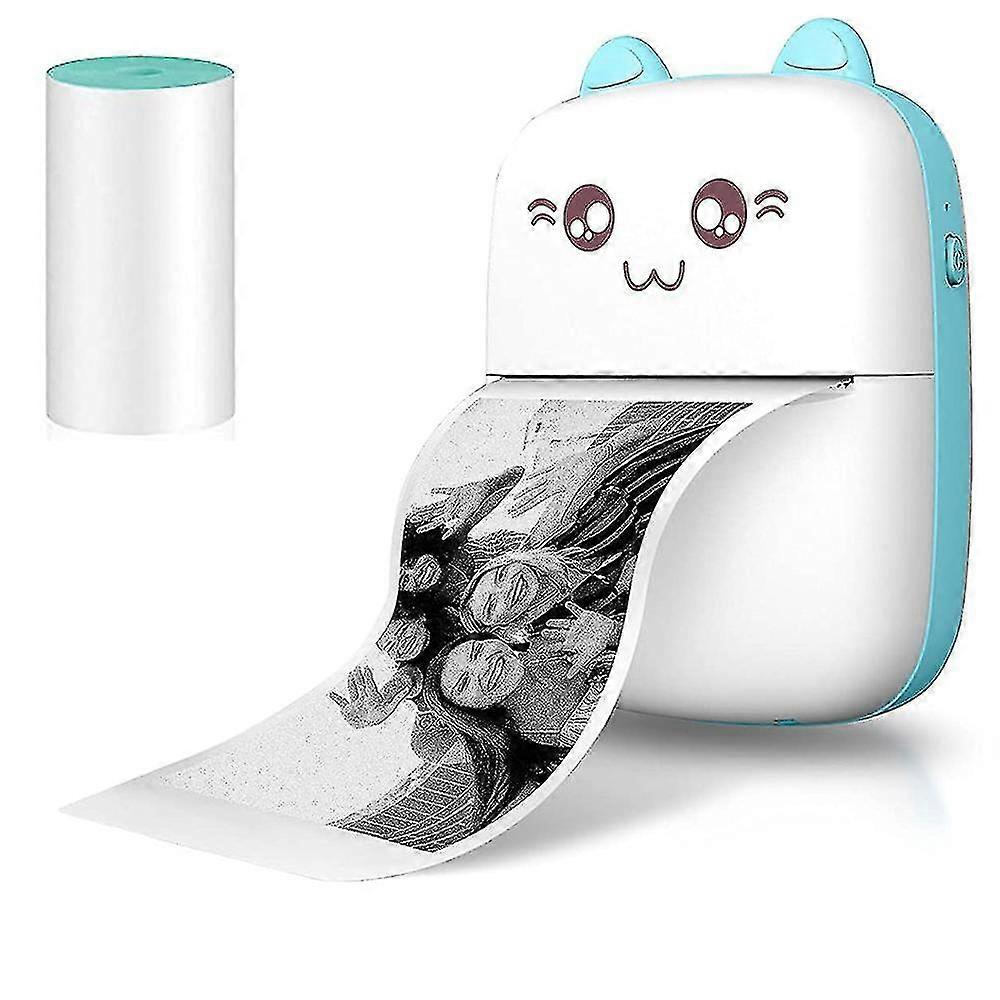
Portable Photo Printer For Smartphone Wireless Printer Support Android Ios Receipt Thermal Printer For Craft, Home

HUF22,990.00
+ HUF2,599.00 Shipping

Portable Photo Printer For Smartphone Wireless Printer Support Android Ios Receipt Thermal Printer For Craft, Home

  • Brand: Unbranded
Sold by:

Portable Photo Printer For Smartphone Wireless Printer Support Android Ios Receipt Thermal Printer For Craft, Home

  • Brand: Unbranded

HUF22,990.00

Save HUF67,500.00 (74%)

RRP

HUF90,490.00
In stock
+ HUF2,599.00 Shipping

14-Day Returns Policy

Sold by:

HUF22,990.00

Save HUF67,500.00 (74%)

RRP

HUF90,490.00
In stock
+ HUF2,599.00 Shipping

14-Day Returns Policy

Payment methods:

Description

Portable Photo Printer For Smartphone Wireless Printer Support Android Ios Receipt Thermal Printer For Craft, Home

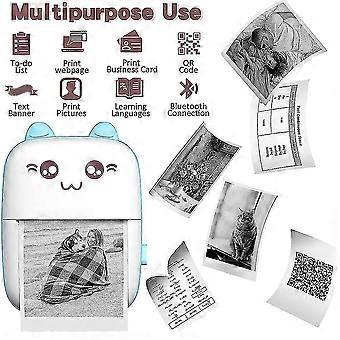
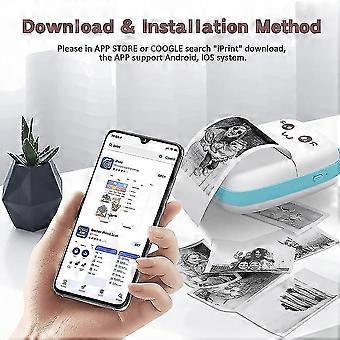
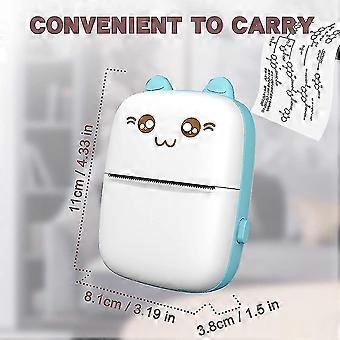
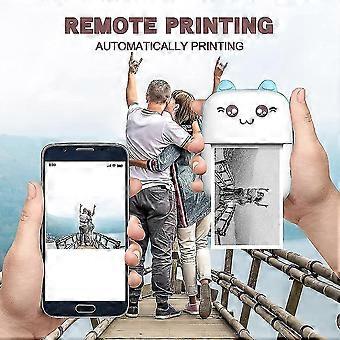
One Pocket mini printer and one Thermal paper in packPocket mini printer, ideal gift for girl or boy's birthday, party, Christmas, Easter. Make childhood colorful and happyWireless Mini Thermal Printer with Android or iOS APP for Pictures, Receipts, Notes, Lists, Messages, QR Codes Print.Small size with built-in 1000mAh battery that you can take it anywhere, easy to carry, USB bluetooth printer,High quality print roller, clear print and stable performance,Mini printer use 203dpi high resolution printing head and 5V interface, which makes your printing quality more outstanding.Lovely appearanceIt is an ideal gift for girl or boy's birthday, party, Christmas, Easter. How to use the portable photo mini printer? a. Your phone must have Bluetooth function. b. Download the printer software .c. Register your account d. Turn on the Bluetooth of the printer and smartphone e. Connecting the printer on the smartphone software. How do I access the option to print? 1.Install "iPrint" APPSearch and download the "iPrint" APP from the Apple store or Google APP market over mobile phone, tablet, or computer. 2. Turn on powerPress the POWER/SET key on the left side of the Pocket mini printer for more than 3 seconds to turn on the power, and the power LED will be blue. 3. Search and link printer over BluetoothClick: My > > My device, Search for Bluetooth device: GBXX-XXXX, Pair with GBXX-XXXX (if the small blue circle on the right appears, it means the pairing is successful). 4.Select print template or contentSelect various functions on the APP to print in various ways, For example: Photograph, diary, Temprate, Charactor Recognition, Document,Web pages,Click "Print" in the lower left corner to print. How to replace the thermal paper of printer? 1.Press the latch on the right side of the mini printerthen open the cover. 2. Replace the thermal paper and pull out a small piece of paper to install the paper correctly. 3. Close the printer of cover,press the POWER/SET key more than 3S to turn on. 4. Link smart phone by Bluetooth,Select your favorite content then print them. Tips: a. If the sticker is too thick, there will be paper jam. If you buy the paper roll by yourself, please pay attention to the data before placing an order. (The paper roll width of 56mm and a diameter of 30mm. ) b. The printing depth can be adjusted. If it is too deep or too shallow, you can adjust it according to the photo. c. Please read the user guide carefully before you start to use the product. d. Need you search "iPrint" on App store or by Google. e.The Printer only print black and white photos, characters tips list or pattern, it can not print color photos.
  • Fruugo ID: 308415457-690688402
  • EAN: 9140106015193

Product Safety Information

Please see the product safety information specific to this product outlined below

The following information is provided by the independent third-party retailer selling this product.

Product Safety Labels

CE Mark
Safety Warnings: Please use according to the instruction manual
Ingredients: As shown
Manufacturer Part Number: 31H-DT1520
Model Number: 9140106015193
Serial Number: 9140106015193

Delivery & Returns

Dispatched within 2 days

  • STANDARD: HUF2,599.00 - Delivery between Wed 07 January 2026–Tue 13 January 2026

Shipping from China.

We do our best to ensure that the products that you order are delivered to you in full and according to your specifications. However, should you receive an incomplete order, or items different from the ones you ordered, or there is some other reason why you are not satisfied with the order, you may return the order, or any products included in the order, and receive a full refund for the items. View full return policy

Product Compliance Details

Please see the compliance information specific to this product outlined below.

The following information is provided by the independent third-party retailer selling this product.

Manufacturer
The following information outlines the contact details for the manufacturer of the relevant product sold on Fruugo.

  • Dongguan Bochang Supply Chain Management Co., Ltd
  • Dongguan Bochang Supply Chain Management Co., Ltd
  • No. 22, Light Industry South Fifth Street, Zhangyu Street, Chancheng District
  • Foshan
  • China
  • 528000
  • cff152438@163.com
  • 16609279055

Responsible Person in the EU
The following information outlines the contact information for the responsible person in the EU. The responsible person is the designated economic operator based in the EU who is responsible for the compliance obligations relating to the relevant product sold into the European Union.

  • EUBRIDGE ADVISORY GMBH
  • EUBRIDGE ADVISORY GMBH
  • Virginia Str2, 35510 Butzbach, Hessen, Germany
  • Butzbach
  • Germany
  • 35510
  • Hunter@pokza.com
  • +49 68196989045